Showing posts with label Adafruit. Show all posts

Learning Programming

I am pretty much self taught. I've had some college-level classes, but most of my useful knowledge and skills have come from self-directed learning. With that in mind, it is kind of ironic that part of my current job responsibility is teaching Python to new users. Or, maybe that make me uniquely qualified.

To someone interested in learning programming, or anything in general, I would offer the following advice:
  • Figure out how you learn best. There are video lectures, books, classroom courses. I learn best when shown an example and given the opportunity to change it or use it somehow.
  • Find something of interest to you, and then find a way to use what you want to learn to do it. Most of my electronics experience comes from making a model train move. Our most successful students at work have projects requiring some programming that they can apply the lessons to.
  • Don't buy a book or pay for a course unless you know you need it and it is not available elsewhere. There is too much good stuff on the internet and every time I purchase a book, my interest quickly moves in some other direction.
With that in mind, here are some of the resources I've found valuable for learning programming and electronics:

Codecademy allows you to explore modules on various subjects for a number of programming languages including Javascript and Python. An amazing teaching tool is the ability to write and execute code in the browser, allowing you to experiment with and be tested on fundamental topics. There is even the ability to write your own instructional modules, such as I did here to explore creating functions while calculating leap years in Javascript.

Udacity provides more of a college course experience with weekly assignments and video lecture snippets. It includes the ability to interactively write and test code. They use Python to teach everything from Intro To Computer Science to Applied Cryptography.
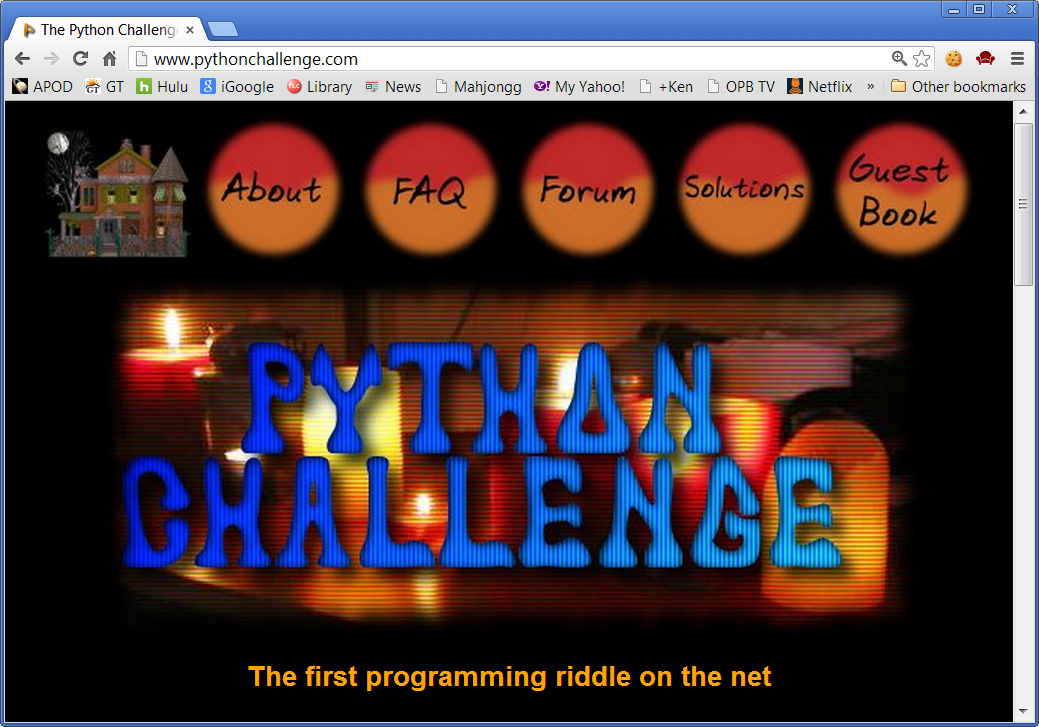
The Python Challenge is unique in that it teaches by presenting you with a series of challenging puzzles which can only be solved by learning techniques that are only hinted at in subtle clues. Once you solve a level, you can see all the various methods other people have used to accomplish the same task. 

For learning electronics, both my favorite electronics suppliers, SparkFun (https://www.sparkfun.com/tutorials) and Adafruit (http://learn.adafruit.com/), have educational portions of their website that give tutorials on how to use the various components they sell. Additionally, Adafruit is developing the WebIDE for the Raspberry Pi which I feel is a valuable tool for both developing code on the system and teaching fundamental Python. I like to demonstrate the WebIDE every chance I get, which included Pycon2013, the Corvallis Maker Festival, and more to come!

Of course, I am just scratching the surface, but as with anything, you have to start somewhere . . .

Using Circuits.io to cook up something tasty for the Raspberry Pi

My latest project was designing and building a circuit board on the web-based Circuits.io. They have made it super easy to make a PCB in comparison to using Eagle Cad and sending files to a boardhouse.
One of the first things I did with my Raspberry Pi when I got it was an Adafruit Learning tutorial on analog inputs. The Pi doesn't have analog like the Arduino, so it needs a little help. Using a MCP3008 on a SPI bus can get you 8 channels of 10-bit analog. Take that Arduino!  At the time, I used Adafruit's cobbler board which makes breadboarding things a snap.  This looked like a perfect project for trying out Circuits.io, and it was.
After laying out the board, I ordered them straight from the Circuits.io website. No CAM job or gerber files to mess with. The boards are made by a company called OSH Park in Lake Oswego, Oregon, and took about two weeks to arrive. They come with a distinctive purple coating. It was about $9 per board, which is pretty cheap as far as PCBs go, and well worth the education I was receiving.
I built the boards using spring terminals so I could easily add and remove inputs. I also added a power LED, a input button and a output LED to do simple digital I/O with.
This is destined for my train layout, which needs 14 analog inputs. I designed the board to be extendable, mainly because you have to buy a minimum of three PCBs. With two boards linked together, I can read 16 inputs!

The main trick with chaining the boards together like this is to have small pads to solder-bridge to determine the chip select line. Each board needs a signal to know who is to do the talking. The way I have done it here limits me to two boards, but that was what I needed.  I also added I2C breakouts because I intend to talk to the Arduino motor controller that way, and that can connect any number of devices. The other caveat with two boards is to insulate the ethernet and USB jacks on the Raspberry or you will short out against the second board!


My daughter and I had a chance to show this off on Adafruit's Show and Tell. Nothing like getting face-time with Adafruit's Boss and the Entrepreneur of the Year. I also recorded a similar demo to show it in action that explains the chaining of the boards a bid better.


Circuits.io is under "beta", and is still under active development. The only downside I see from here is the silkscreen layer. You lack the ability to add text, and the component footprints for items I used like LEDs and capacitors lacked polarity markings. It made assembly a bit tricky, but hey, if the designer can't figure it out, maybe it shouldn't be built . . .

In true Open Source fashion, you can copy the board layout here and warp it to your fancy. You should dig in and mess with it just to see how cool the web interface is! The Python code running in the video and on the Show and Tell is in my Bitlocker under mc3008/mcp3008_dual.py.

Happy Hacking!

Parts List (for one board):
1 x Raspberry Pi Header, Adafruit #1112 $1.95/ea
1 x MCP3008 Analog SPI chip, Adafruit #856 $3.95/ea
16 x Configurable spring terminal blocks, Adafruit #1074  $4.95/15pieces
    or some combination of 0.1" pitch terminal blocks like
    2 x Terminal block 8 pos, Digikey ED10566-ND $1.64/ea (haven't tried)
1 x IC Socket, 16 Pin, Digikey A100206-ND $0.24/ea (optional, recommended)
1 x Capcitor 0.1uF, Digikey 399-4151-ND $0.30/ea
1 x Capcitor 10uF, Digikey P975-ND $0.23/ea
8 x Resistor (pull down) 10k ohm

To bridge two boards together:
1 x Male header, right angle 10 position, Digikey 609-3410-ND $0.38
1 x Female header, right angle 10 position, Digikey S5558-ND $1.35

Optional LEDs and button:
1 x Adafruit 8x8 Bicolor I2C Matrix, Adafruit #902 $15.95
1 x Header, 4 position (I2C), Digikey A32905-ND $1.31
1 x tactile switch, Digikey SW402-ND $0.41/ea
1 x Resistor (pull down for switch) 10k ohm
2 x LEDs, your color choice
2 x Resistor (LED current limiting) ~330 ohm